
How to Enable Javascript on iPhone
Simple but powerful, Javascript is the world’s most popular programming language, being used by many of the top websites on the web. Javascript helps web developers to control the elements on a web page, and is widely used for pop-up pages. You need Javascript to run interactive websites and web services, most notably Gmail. Here’s a simple guide that will show you how to enable Javascript on iPhone.
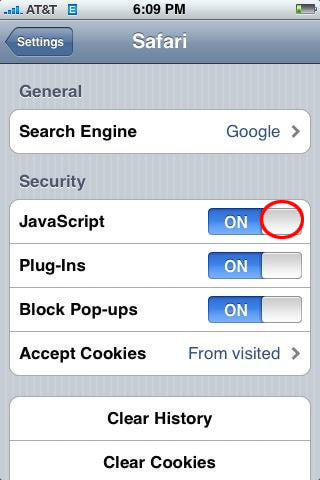
- Go to the Home Screen.
- Tap Settings.
- Find your web browser and tap on it. Most iPhone users run the default Safari, but Opera is quite popular as well. Regardless of which browser you use, move on to the next step.
- Search in the web browser settings options for the Javascript entry and toggle it on.
- Press the Home button to return to the Home screen.
- Launch your web browser and navigate to a website that uses Javascript.
- That’s all. You’ve just learned how to enable Javascript on iPhone.
Javascript on iPhone works okay with most websites, but sometimes you may encounter issues. Some iPhone users complain of poor performance when using Javascript. When that occurs, the problem usually lies not with your device, but with the website – the site is just not optimized for mobile users. The good thing is that all the major Javascript websites out there work well on iPhone.
Now that you know how to enable Javascript on iPhone turn it on and enjoy browsing interactive websites. If you ever run into problems and you suspect it’s because of Javascript, turn it off temporarily and browse the web without it.