
How to File Income Tax Returns with Your iPhone
Filing your income tax return with your iPhone is easy and convenient, but to be able to do it your return must be simple and straightforward. If you have multiple sources of income derived from businesses and investments, you will want to discuss matters with your accountant first. Below you’ll find out how to fill standard iPhone tax returns. 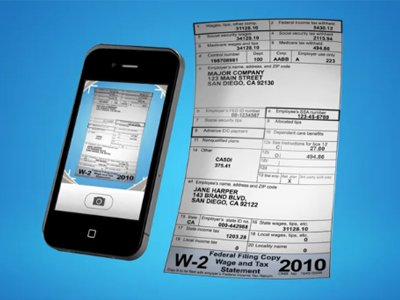
- Step 1 – Grab an iPhone tax returns app
There are several good apps in the App Store that help you fill income tax returns, for a price. The best ones are probably TurboTax SnapTax and H&R Block 1040EZ 2012. These apps are free to download but they will charge you a fee or require you to make an in-app purchase if you choose to submit your returns through them. The good thing is that both let you calculate your taxes without charging you for it. Note though that they work only for basic tax returns.
- Step 2 – Prepare your tax returns
You’ll have to snap a few photos of your W-2 forms and provide various other personal information. Complete every step of the in-app step-by-step process. Then use the built-in tax calculators to find out how much tax money you have to pay.
- Step 3 – Send the returns
Once you’ve calculated your taxes, you must pay the app fee and send your income tax returns. TurboTax SnapTax will charge you $24.99 while H&R Block 1040EZ 2012 $9.99. Prices might vary depending on the type of returns you want to submit.
All things considered, tax returns through the iPhone are faster and easier than conventional mail returns. You can prepare and send them in less than half an hour. But are iPhone tax returns for you? If you have simple returns that you want to complete quickly and send right away – and are willing to pay a small fee for the guidance you receive – the apps above are certainly for you and they can make your life a little easier. But if your tax returns are more complicated, stick to the usual procedure.