
How to Turn on Hotspot on iPhone XS Max
Just imagine that your friends are out on internet data and they want to do some work, for which they are asking to turn on the Wi-Fi hotspot of your mobile phone. But the main issue is that you had just bought the all-new iPhone XS Max and you don’t know how to turn on hotspot on your iPhone XS Max.
So this is the only reason that I created the article. With the help of this article, you would be able to know that How to turn on hotspot on iPhone XS Max easily with the help of steps.
How to turn on hotspot on iPhone XS Max-
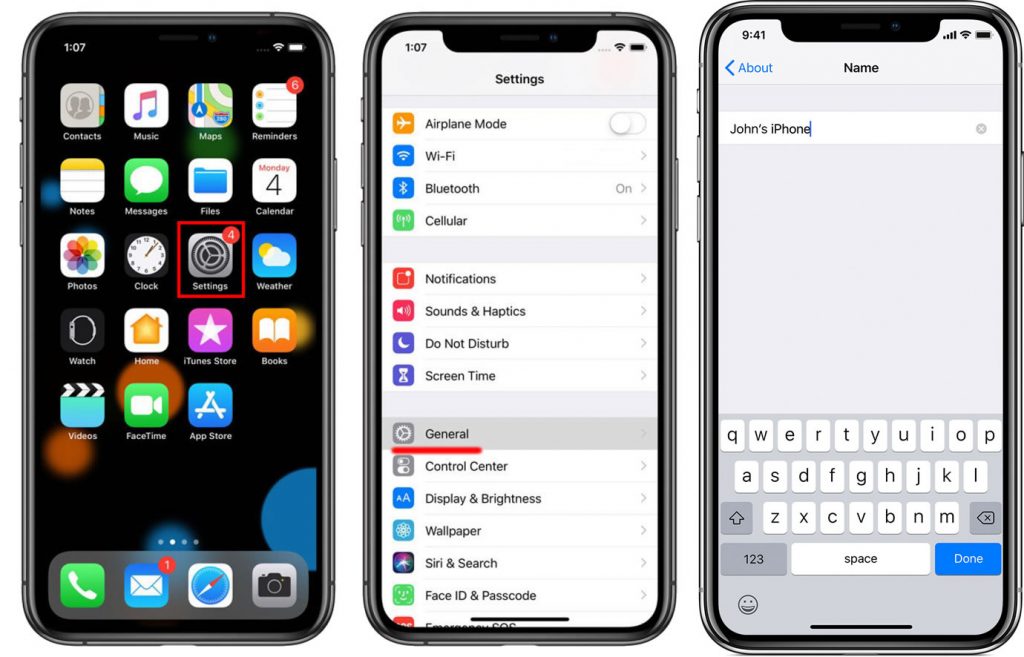
- Firstly click on the setting from the Home Screen of your iPhone XS Max.
- From the settings menu, click on General.
- Tap on About.
- From there you can click on Name, and you can change the Name of your mobile's personal Wi-Fi hotspot if you want to.
- After the changing of Name, go back to the main list of Settings.
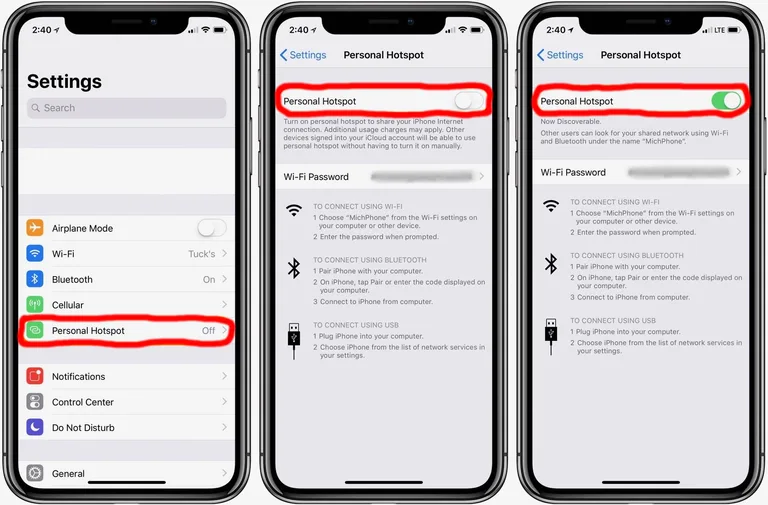
- From the main settings list, select Personal Hotspot.
- In some cases, the Personal Hotspot options is not there in the main setting list, so you should check it in Carrier option.
- Then turn on the Personal Hotspot, to enable it on.
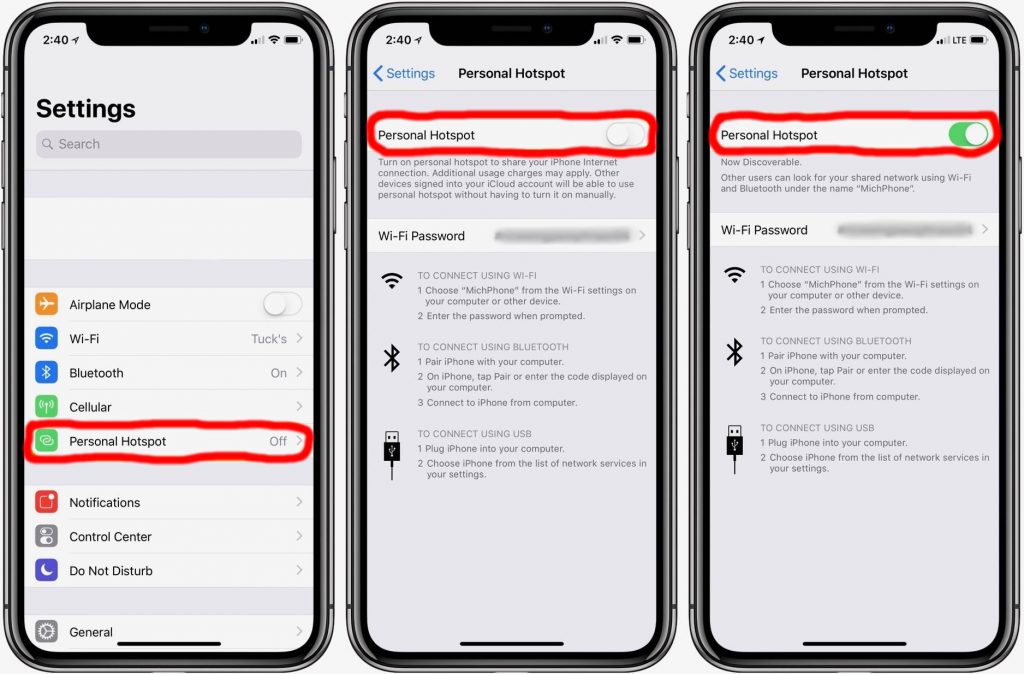
- You can even change the Wi-Fi password if you want to change you can click on Wi-Fi Password.
- With the help of these steps, you would be able to turn on hotspot on iPhone XS Max.
You can even block the mobile phones that you don’t want to connect it with your hotspot by selecting the Blocked Connections option from Personal Hotspot setting.