
How to View Blocked Numbers on iPhone
While blocking a disgruntled ex-lover or those nagging telemarketers may be a good policy, the ease with which you can block a number on the iPhone means that you can accidentally block the wrong person. That’s why it’s good to know how to view blocked numbers on iPhone, just to make sure you’re not blocking, by accident or otherwise, friends or family.
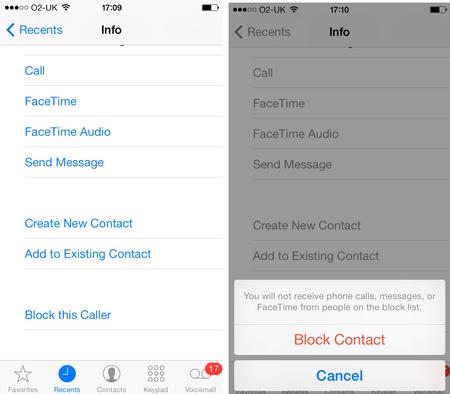
A blocked number cannot call you, nor can it send you text messages or start a FaceChat with you. Nor can you contact them. A good approach is not to block numbers if you don’t know to whom they belong. Block only the numbers that have been pestering you. Anyhow, here’s how to view blocked numbers on iPhone.
- Tap on the iPhone Settings app to open it.
- Scroll down and tap on Phone. This will open several options.
- Tap on Blocked.
- A list of all the numbers you’ve blocked will appear. Check it carefully to make sure you haven’t blocked by accident any of your family, friends, or acquaintances.
If you identity a number that you want to remove from the Blocked list, find the Edit option in the top-right corner of the screen and tap on it. From the new options that appear, tap Remove. You can quickly block a number you’ve unblocked at any time later, so if you’re unsure about a number, better unblock it now than regret it later.
Finally, if in time your list of blocked numbers keeps growing, you may want to consider grabbing a specialized call blocking app from the Apple store. There are several options available, and they offer more selective blocking than the built-in functionality of iOS, as well as a faster way to manage your blocked numbers.
Now that you know how to view blocked numbers on iPhone, how about you go and sort your blacklist?
https://youtu.be/wKyPc_5aRBs