
How to Zoom Video Camera on iPhone
Recording and watching your videos on your iPhone can be a relaxing activity, especially if they are videos of your friends and family. It’s wonderful to immortalize some of the most important moments in your life as well as small but delightful everyday happenings on the go, and the iPhone helps you do that on a daily basis.
Capturing celebrations, sporting events, anniversaries, funny scenes, and the like on your iPhone is quite easy, but what if you want to zoom in on the face of your children while recording them playing? Here’s a quick guide on how to zoom video camera on iPhone.
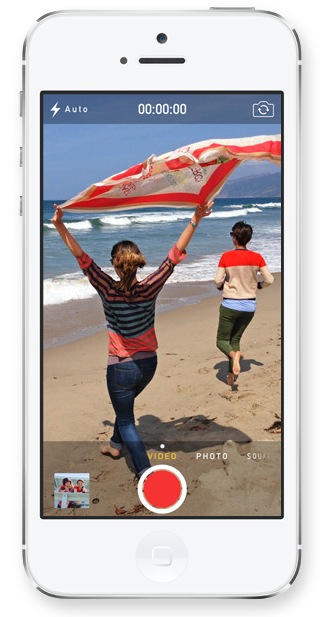
How to Zoom Video Camera on iPhone with iOS 7 or Higher
iPhone users have had the zooming ability in video capture mode since 2013, when iOS 7 was released. iOS 7 came with a new and very useful zooming tool for video recording. The feature allows for very interesting options usually available to cam recorders. Here are the small steps that will help you zoom during video capture:
1. Launch the Camera app on your phone.
2. Set the Camera app to video mode by swiping left or right.
3. Start recording by hitting the big red button.
4. Use the pinch gesture to zoom in and out during video capture.
That’s it! Now you know how to zoom video camera on iPhone.
You can follow the same steps to zoom in or out when watching already recorded videos. Tap on any video and, while it plays on the screen, pinch out to zoom in and pinch in to zoom out. This feature is easy to handle and allows you the treat of a close-up view whether you’re viewing a video of your children, of a landscape, or of some sporting competition you’ve attended in the stands.