
iPhone
iOS 9.1 Jailbreak
Jailbreaking is a process that changes a bit with every iOS upgrade. If you want to customize your device and have full access to additional applicati…

Chris Page follows the meeting point of Apple hardware, apps and entertainment. His iPhonePedia coverage includes gaming, media services, connected accessories and guides for getting more from an existing device. He is interested in the details that are easy to miss in a launch announcement: supported models, account requirements, changes between versions and what happens when a feature is unavailable. Chris also writes across the group’s technology and music publications, with a focus on making specialist information accessible without assuming that every reader already knows the terminology.
Jailbreaking is a process that changes a bit with every iOS upgrade. If you want to customize your device and have full access to additional applicati…
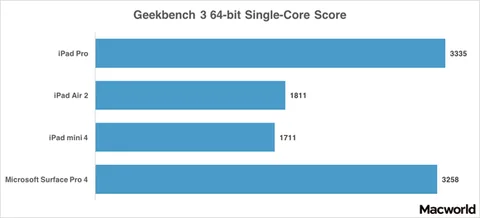
Apple’s super-sized iPad Pro is indeed a powerful device. With a performance that matches its respectable size, iPad Pro is the fastest iPad yet. You …
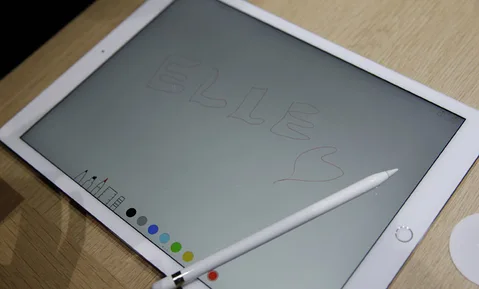
iPad Pro, Apple’s newest and largest tablet, is now finally available. The device is a hybrid between a laptop and a tablet and it delivers far more t…
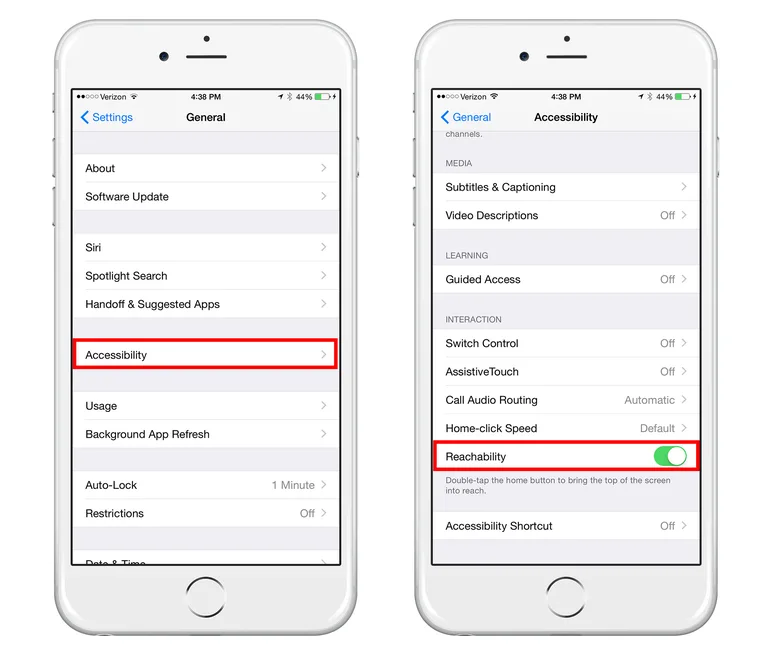
Apple’s new iPhone 6s is notably larger than previous iPhone versions, which makes it a little more difficult for users to comfortably reach each on-s…
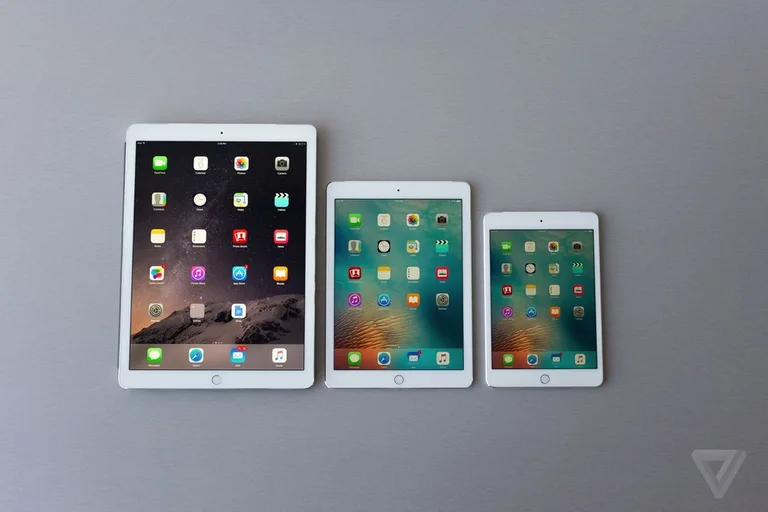
The iPad Pro was officially released in September 2015 and is currently shipping worldwide. With a 12.9 inch display, iPad Pro is Apple’s largest tabl…
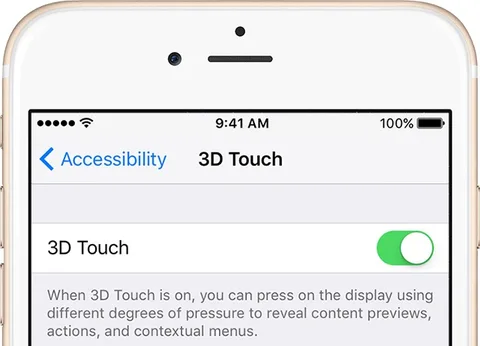
3D Touch, the new iPhone 6s feature, has undoubtedly become the star of the show for iPhone users. People love it simply because it makes navigation o…
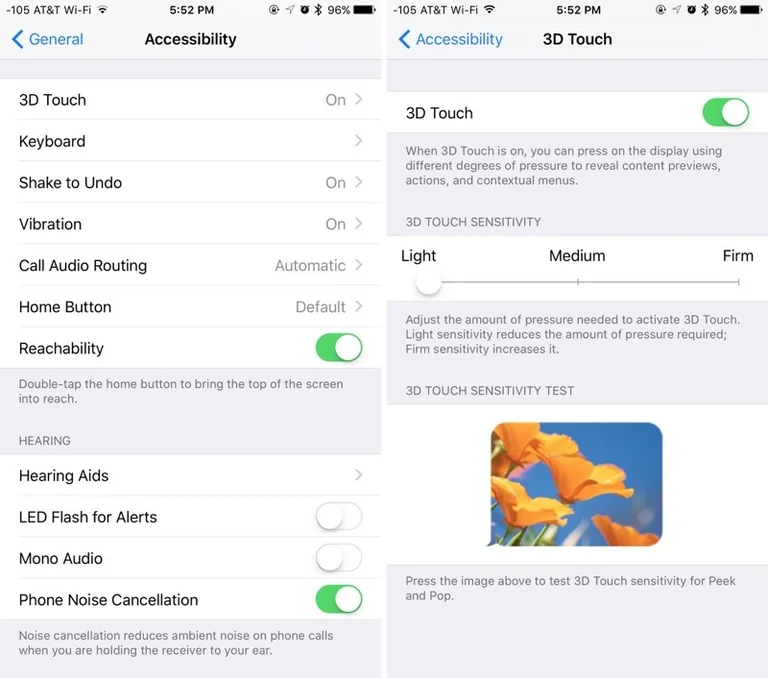
iPhone 6s comes with a massive upgrade. Among the new features, 3D Touch undoubtedly steals the spotlight. It’s a fresh idea that excites iPhone users…

Using a Live Wallpaper on your iPhone can be exciting and fun. In a previous tutorial, we guided you through the process of turning your stills into L…

People love to take photos with their iPhones and have dear memories within reach. But what if you could bring these photos to life? With the new iPho…

iPhone 6s has introduced another way of interacting with your phone and it’s revolutionary. The new 3D Touch helps you feel the pressure you apply to …
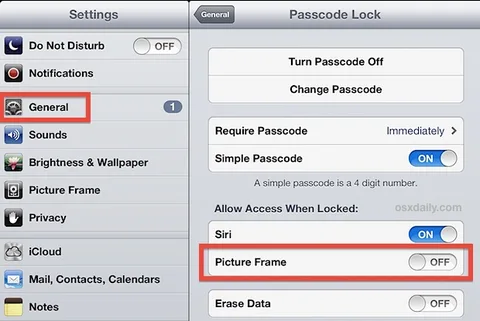
Keeping pictures on your iPad helps you go through some of your favorite memories. While the iPad’s Picture Frame is a great and convenient feature, i…
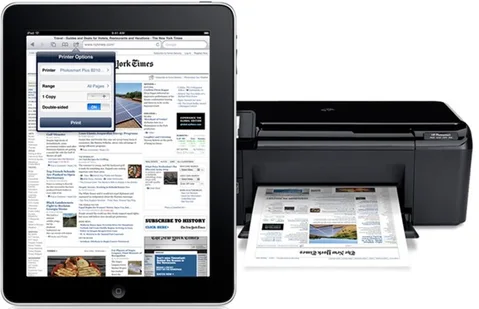
If you spend more time on your iPad than on your computer, like so many people seem to be doing these days, then there must have been moments when you…

Placing a three-way call is one of the features of the iPhone that can ease your work and save you a great deal of time. The option of initiating mult…

Recording and watching your videos on your iPhone can be a relaxing activity, especially if they are videos of your friends and family. It’s wonderful…