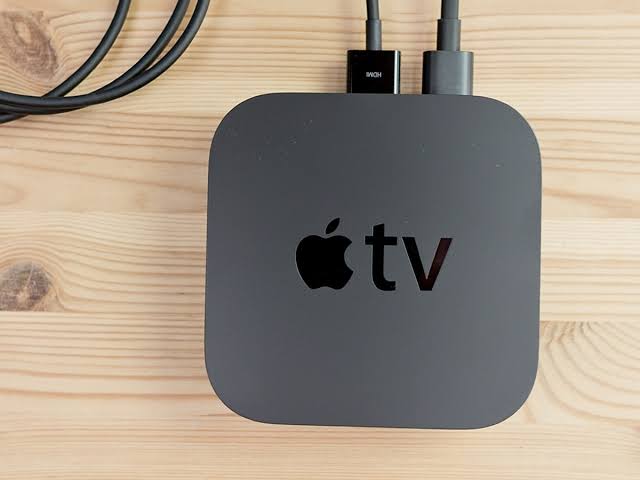




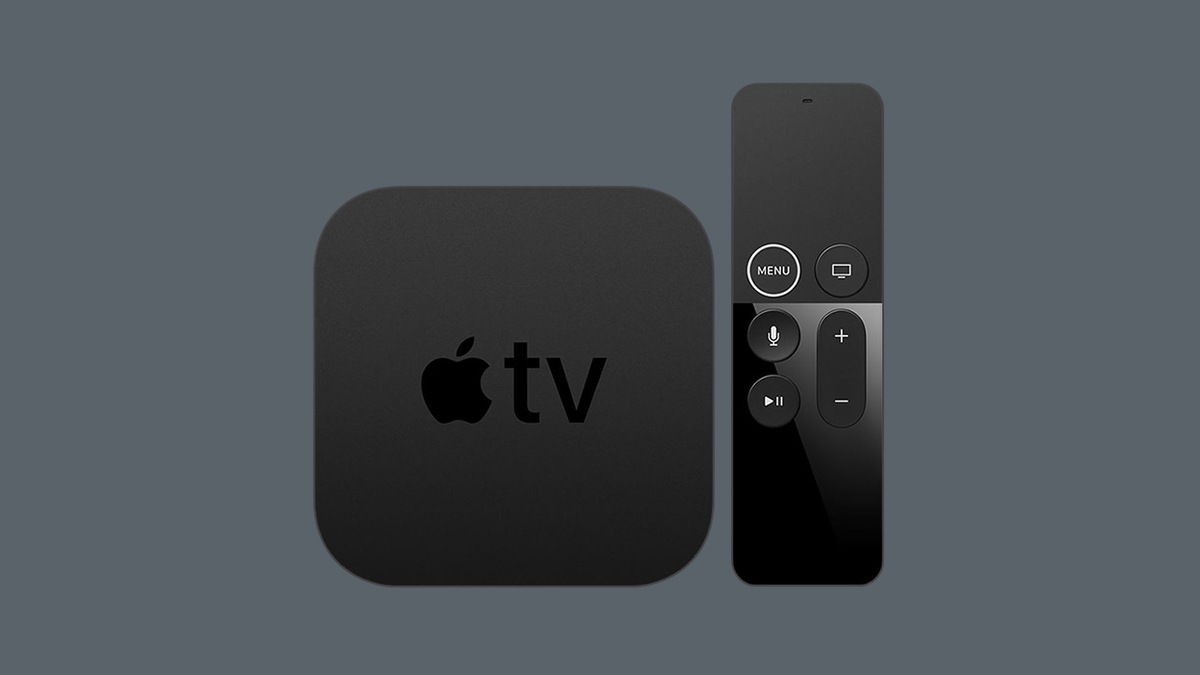
If you own the first Apple TV 4K, check its model number before booking a repair. Apple added the 2017 box to its vintage list, dated October 9. Apple TV 4K vintage status changes the question to ask a repair provider: can it get the parts? It does not tell you to unplug a working streamer.
Does vintage mean repairs have stopped?
No. Apple’s service policy places products in the vintage group when the company stopped distributing them more than five, but less than seven, years ago. The clock follows distribution history, not the day you bought your individual box.
A provider may still be able to repair your box. The catch is parts supply. Call Apple or an Apple Authorized Service Provider, describe the fault and give the model number. Ask about the part and likely cost before taking the unit in. A place on the vintage list cannot answer those questions for an individual repair.
How obsolete status differs
Obsolete is the later stage, and its service rules are stricter. Apple uses that term once it stopped distributing a product more than seven years ago. It then ends hardware service, and providers cannot order parts. A1842 is on the vintage list today. Moving it mentally into the obsolete group would rule out repair sooner than Apple’s notice does.
Which Apple TV do you actually own?
The black case is easy to mistake for a later generation, particularly in a used listing. A replacement remote can add to the confusion. Use the box’s own number instead. Apple’s model guide lists A1842 as the first-generation Apple TV 4K, introduced in 2017 with 32GB or 64GB storage.
Before booking service, use Apple’s model-number check:
- From the Apple TV Home screen, open Settings.
- Choose General, then About, and check Model.
- If the box will not start, read the information label on its underside or the model number on the original packaging.
Should a working box be replaced now?
If the apps and services you use still work, the vintage notice alone gives you no new reason to change the box. It concerns hardware service. It does not announce that those apps have stopped working, and it does not set a new software-support deadline. Keep those separate when deciding whether to replace it.
A box with an existing fault calls for a different calculation. Get the repair estimate first, including an answer about parts. Then compare that figure with a replacement that meets your needs. The remote’s age or appearance should not decide which service category applies.
Shopping used? Ask for A1842 or the seller’s actual model number before comparing prices. “Apple TV 4K” covers several generations. The listing needs enough detail to tell you which one you would receive. Apple TV 4K vintage status applies to the 2017 generation; a photo of a black box and remote is not enough to settle the question.
Expand Your Knowledge:
 Apple TV Game Console is a Must Have
 Apple TV 6th Generation Release Date, Price, Specs, and Rumors
How to connect your iPhone to TV
How to Connect an iPad to TV
Apple TV 6th Generation Release Date, Price, Specs, and Rumors
How to connect your iPhone to TV
How to Connect an iPad to TV
 Apple’s AI Ambitions: “Apple GPT” Emerges as a Potential Game-Changer
 Revealing Apple’s Abandoned Project: Making Apple Watch Compatible with Android
 Apple CEO Transition: Passes Apple’s Next Chapter to John Ternus
 Apple Founders’ Signed Check Hits Auction: A Peek into Apple’s Historic Past
 Apple iPhone Security: What You Need to Know
 Apple’s Budget iPhone